

by
Login Start Free Trial
Expense Tracking

Smart Expense Management for Field Teams

Streamline expense reporting for your field team. Employees submit expenses on-the-go with photo receipts, and managers approve with a single tap.

100%

Digital Receipts

One-Tap

Approval Process

Real-Time

Expense Analytics

Export

Accounting Ready

Expenses · MarchRahul S.
Fuel$ 265
Meals$ 120
Stay$ 400
Total$
ExpensesTracked
Auto-categorised
GPS & time stamped
Live monthly summary

Expense Tracking

Streamline expense reporting for your field team. Employees submit expenses on-the-go with photo receipts, and managers approve with a single tap.

  • Photo receipt upload
  • Category-wise expense analytics
  • One-tap approval workflow
  • Budget limit alerts
  • Export to accounting software
Receipt scanOCR
Vendor HP Fuel Stn
Amount $
Date auto-filled
Snap a photo — fields fill themselves

Photo Receipt Upload

Capture or upload receipt photos directly from the mobile app. Each receipt is automatically timestamped, GPS-tagged, and stored securely for audit compliance.

  • Camera capture with instant preview
  • Auto timestamp & GPS tag on every receipt
  • Multiple receipts per expense entry
  • Receipts stored for 7+ years
  • Works offline — syncs when connected
Travel budget$ 4,170
88% used — nearing limit
Budget controlAlert
Alerts at 80% & 100%
Block over-limit claims
Manager notified instantly

Budget Limit Alerts

Set monthly or project-based expense budgets for employees or teams. Get instant alerts when spending approaches or exceeds limits — preventing overspending before it happens.

  • Set budget per employee or team
  • Real-time spending vs. budget tracking
  • Alerts at 80%, 90%, and 100% thresholds
  • Per-category budget limits
  • Manager notifications for overspending
Expense submitted
Manager notified
Approved · one tap
Approvals1-tap
Approve from the app
Full audit trail
Straight to reimbursement

One-Tap Approval Workflow

Managers receive real-time notifications for expense submissions. Review receipt photos, check amounts, and approve or reject with a single tap — or set up auto-approval for small amounts.

  • Push notifications for new submissions
  • View receipt photo before approval
  • Add comments or request revision
  • Auto-approve small amounts (configurable)
  • Multi-level approval for large expenses
Tally QuickBooks Zoho Books
ExportSynced
Spreadsheet · PDF
One-click accounting sync
Books reconciled automatically

Export to Accounting Software

Download expense reports as a spreadsheet or PDF. Export directly to accounting software or share with your finance team for seamless payroll and reimbursement processing.

  • Export to PDF with receipt attachments
  • Spreadsheet export for accounting software import
  • Filter by date, employee, category
  • Scheduled auto-email reports to finance
  • Tally & Zoho Books compatible format
Everything Included

More Expense Capabilities

Mobile Submission

Employees submit expenses directly from the mobile app with camera integration.

Multi-Currency

Track expenses in multiple currencies with automatic conversion for international travel.

Project Tracking

Tag expenses to specific projects or clients for accurate billing and cost analysis.

Expense History

Full history of all submitted expenses with status tracking and receipts.

Team Limits

Set individual and team-wide expense limits with manager oversight.

Spending Trends

Visual charts showing monthly and quarterly spending trends by category.

Reimbursement Ready

Approved expenses auto-added to payroll for fast reimbursement processing.

Audit Compliance

All receipts and approvals stored securely for statutory audit compliance.

Ready to Streamline Expenses?

Start tracking field expenses digitally today. Save time, eliminate paper receipts, and keep your team reimbursed fast.
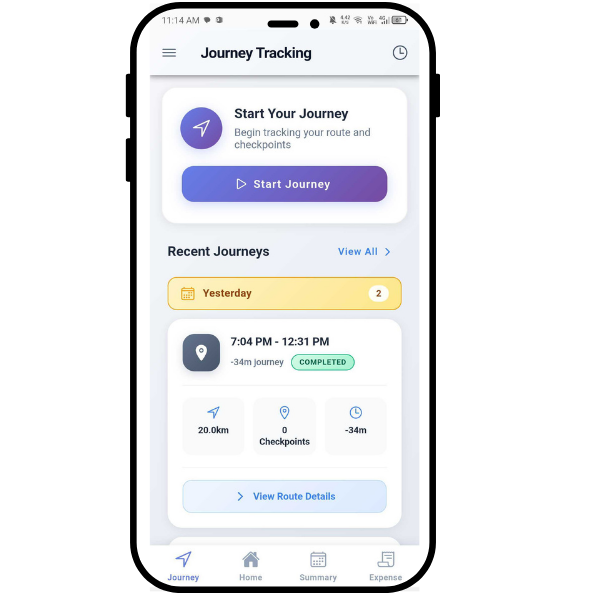

Cyber Track Mobile App
Expense Tracking
Hero Section
Tracking Car